WarHQ is now at version 3.5WarHQ, a free Windows companion app for Wargame Design Studio games. It started as an alternative launcher and library for installed WDS titles, and the new 3.5.0 release is focused on PBEM Box, a local/manual PBEM workflow for players who exchange turns by email, chat, cloud drive, Discord, or any other file-sharing method.
https://warhq.netWarHQ does not replace the WDS games. It helps organize, launch, import, track, and return PBEM turn files across your installed titles.
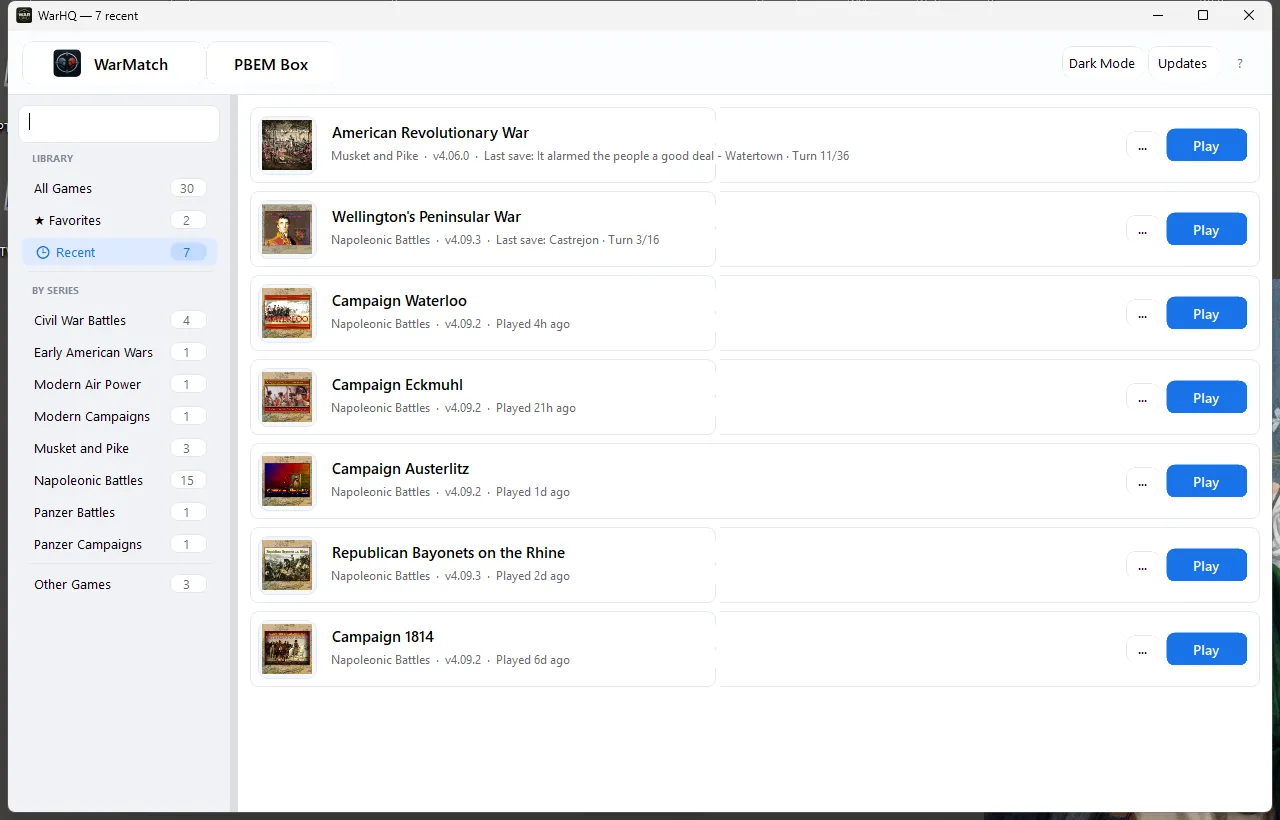
What WarHQ Does
Finds installed Wargame Design Studio titles.
Gives you one library for launching games.
Tracks local PBEM files across your WDS save folders.
Groups related PBEM files into match/thread rows.
Imports received .bte and .cpf turn files.
Detects the likely destination game for a received turn.
Lets you edit the destination filename before import.
Warns before overwriting an existing destination file.
Lets you manage opponents, email addresses, and filename aliases.
Opens the correct WDS game from a PBEM row.
Watches for a completed turn after you exit the game.
Opens your default email app with recipient, subject, and message filled in.
Copies the completed turn file to the clipboard and can open Explorer with the file selected, so attaching the turn is easier.
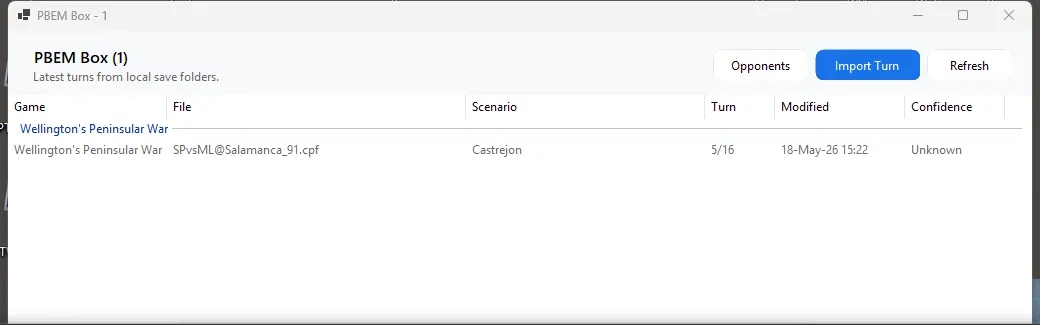
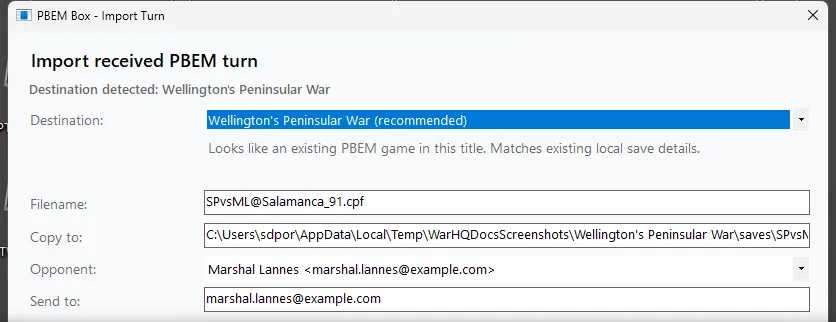
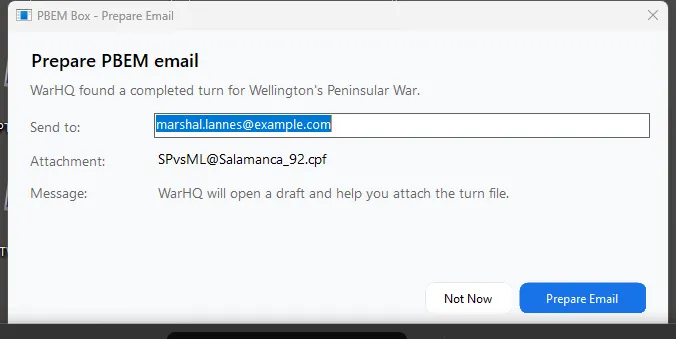
Manual PBEM works, but the file handling gets tedious: saving attachments, finding the right WDS save folder, remembering opponent aliases, launching the right game, and then finding the completed return file. PBEM Box is meant to make that workflow less error-prone while still keeping the player fully in control of the actual files and email.
Current StatusI would especially appreciate feedback from players who run multiple PBEM games across several WDS titles, or anyone using campaign-game .cpf files.
Bug reports, suggestions, and workflow feedback are welcome.
Download and docs:
https://warhq.net/
_________________

Colonel Sergio Porres
Commandant en Premier Inspecteur Général du Génie
Grand Quartier-Général Impériale


 NWC
NWC

 Login
Login FAQ
FAQ